Clear reports.
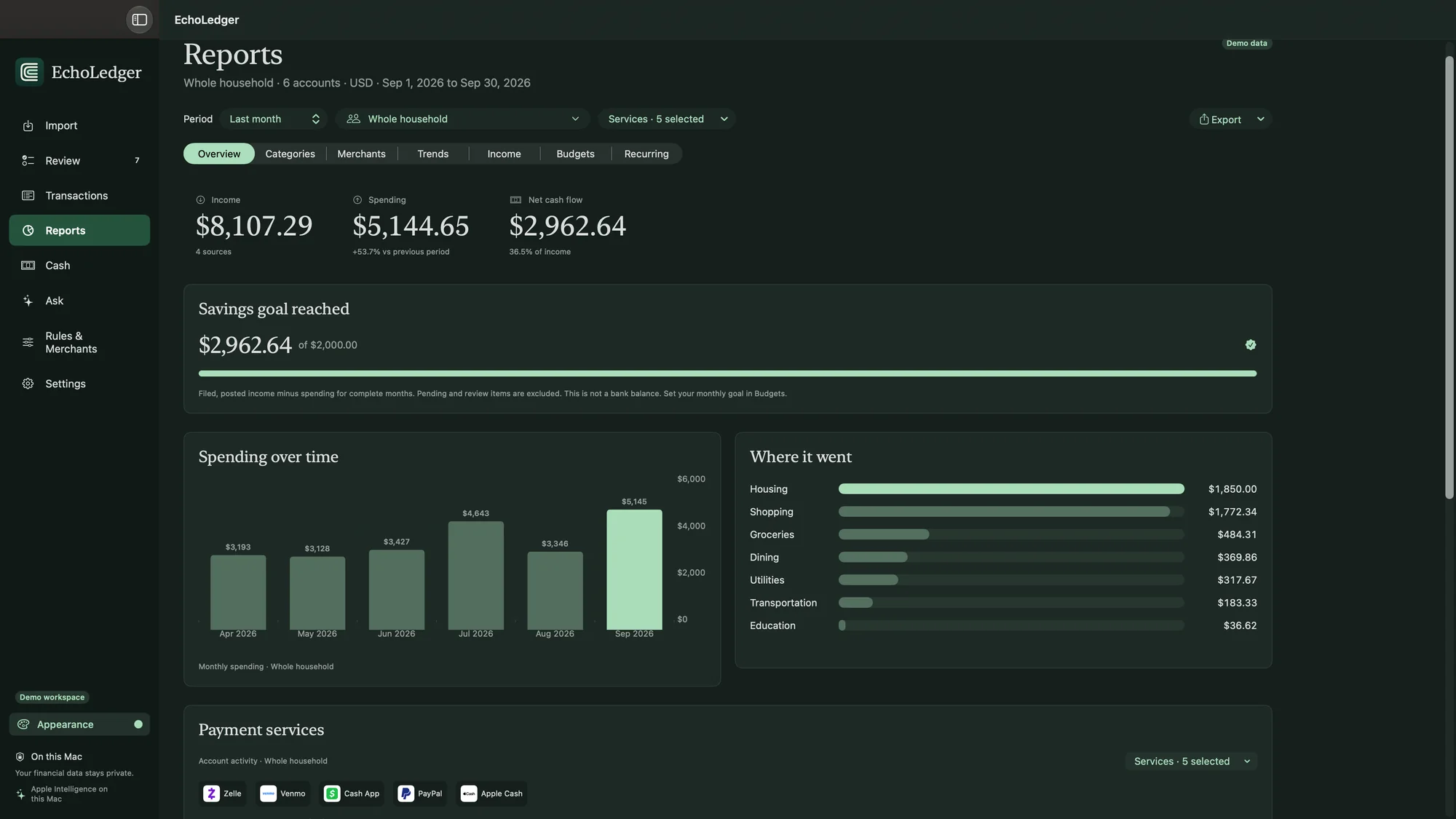
See income, spending, and what’s left each month. Track spending by category and merchant, compare with the previous period, and set a monthly savings goal. PDF and CSV exports use the same figures you see on screen.

See your whole financial picture on your Mac.
Import your bank and card statements to see your whole financial picture in one place. Apple Intelligence helps organize the details on your Mac, and your financial data stays on your device.
See income, spending, and what’s left each month. Track spending by category and merchant, compare with the previous period, and set a monthly savings goal. PDF and CSV exports use the same figures you see on screen.
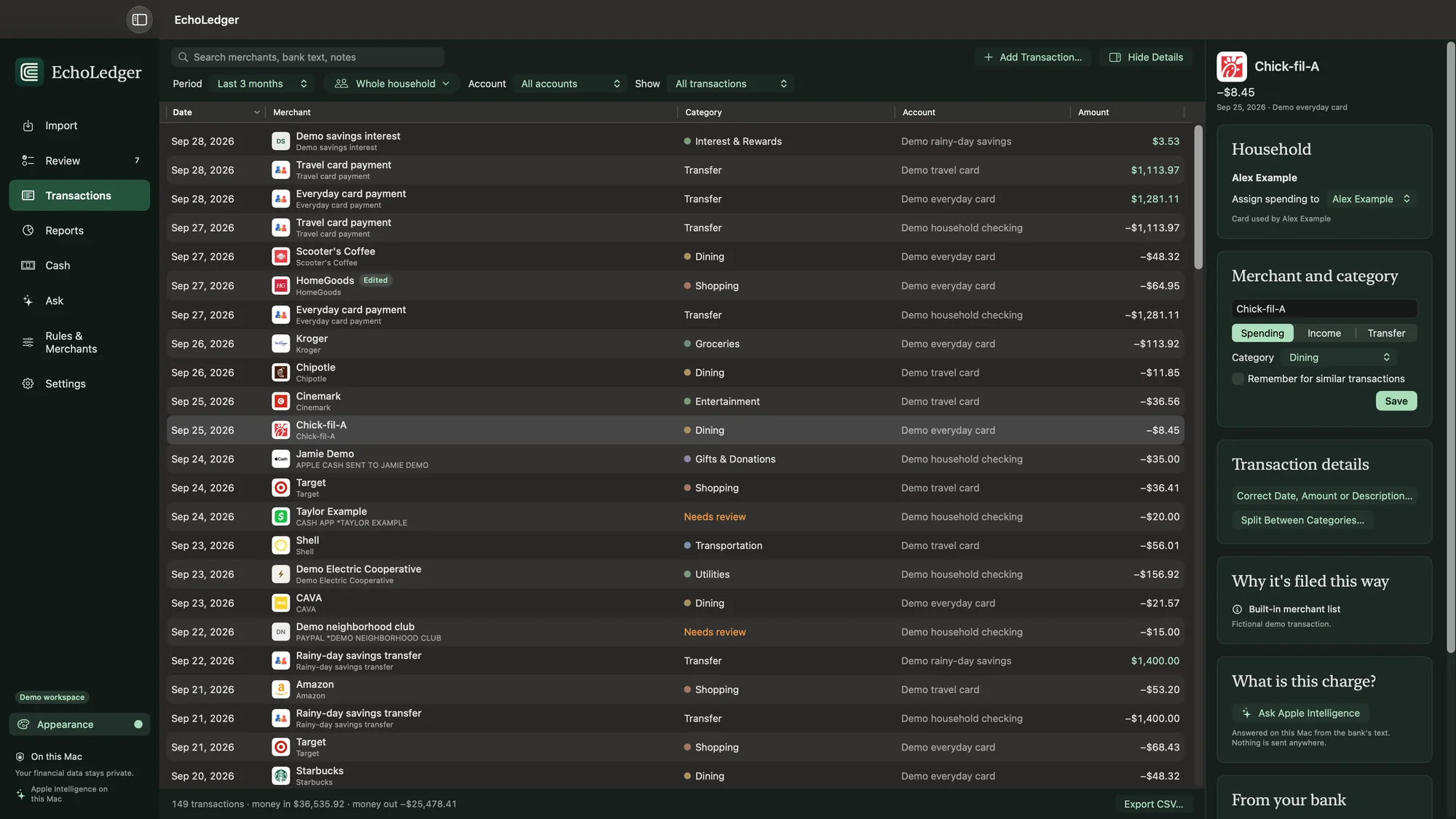
EchoLedger already recognizes hundreds of common merchants and bank descriptions, such as paychecks, card payments, interest, and ATM cash. For PayPal, Venmo, and Square payments, it can show the business behind the transaction.
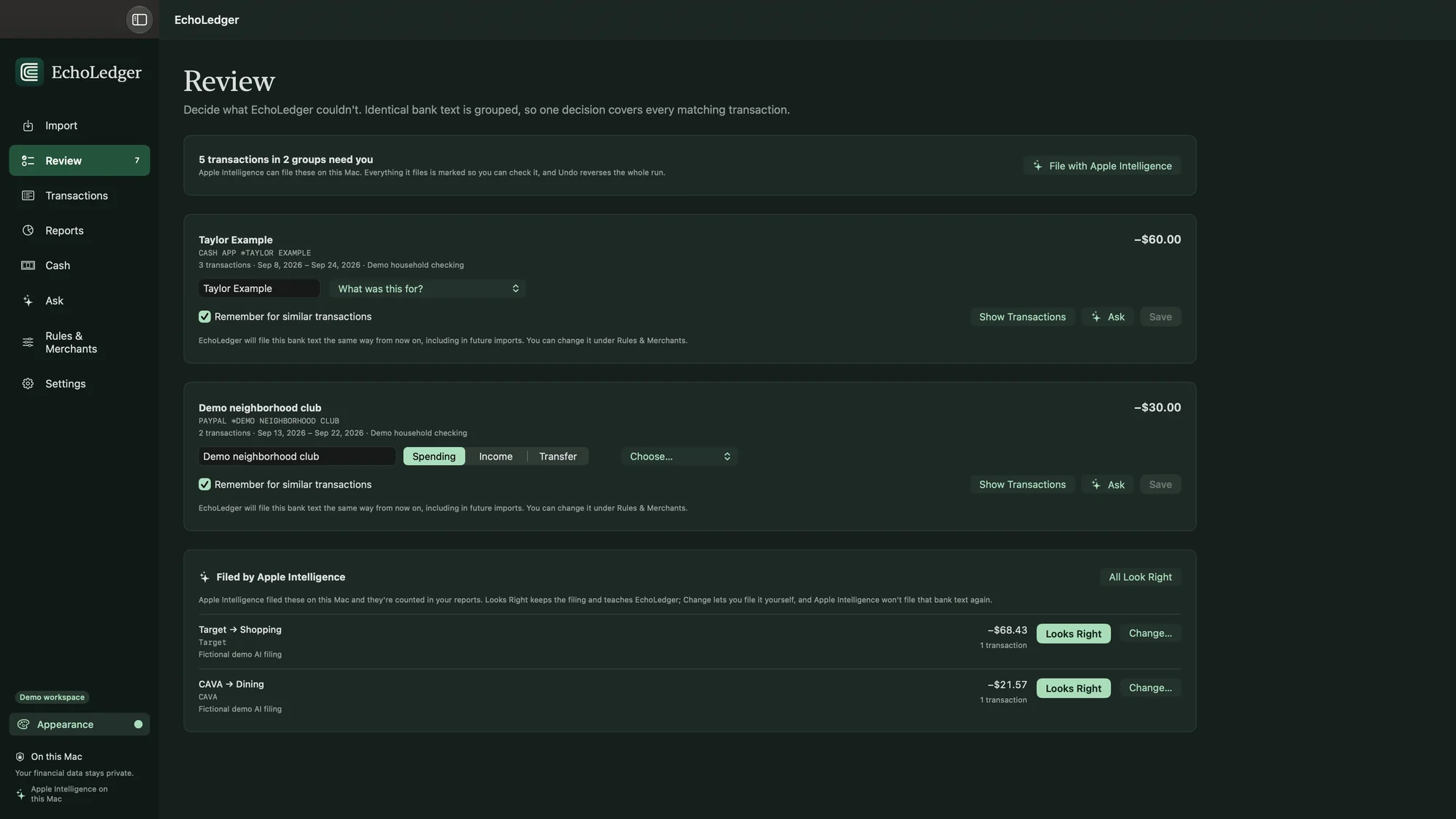
Transactions with the same bank text are grouped, so one decision covers all of them. Anything Apple Intelligence files is marked so you can check it, and Undo reverses the whole run.
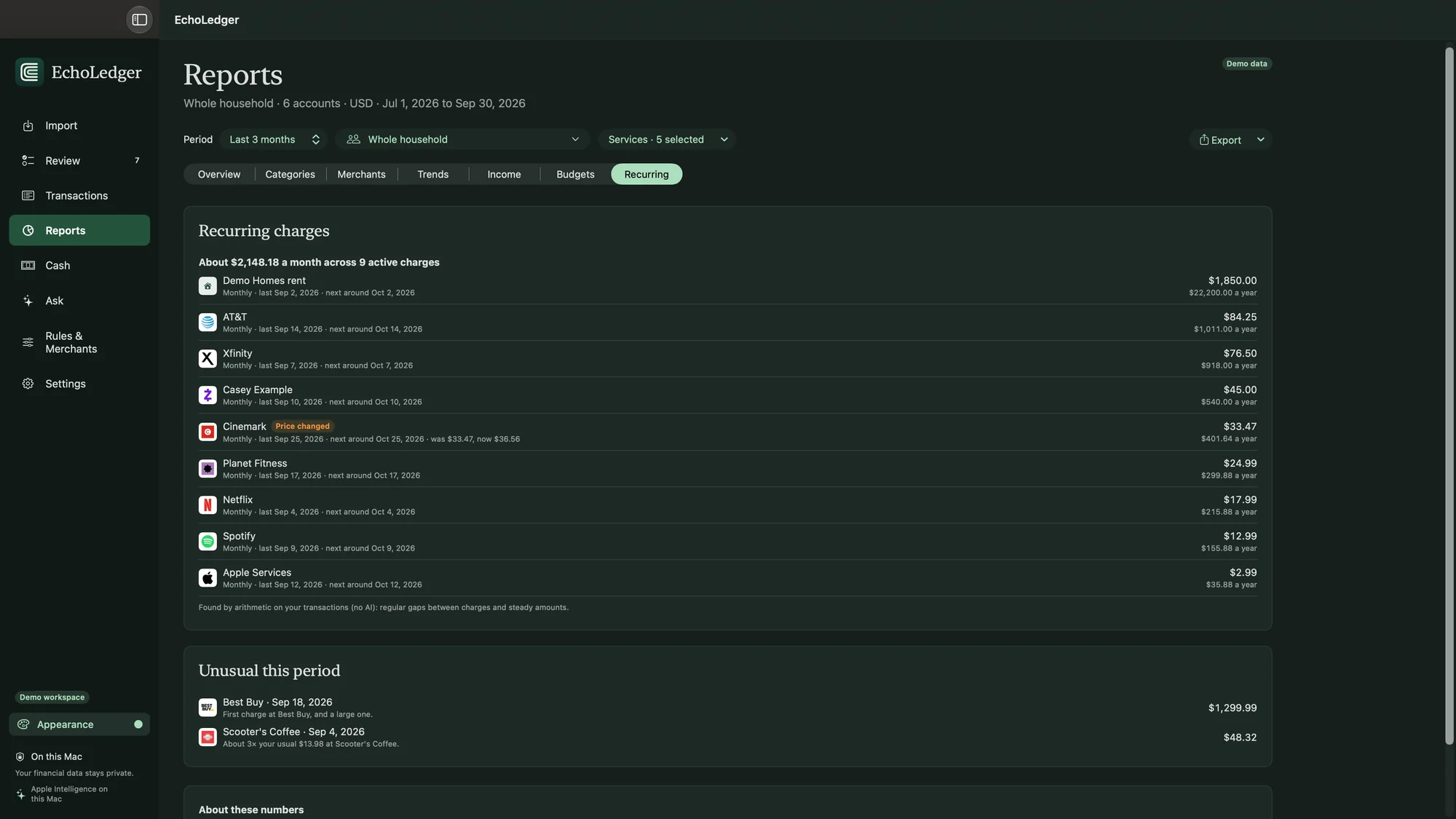
EchoLedger finds subscriptions and bills from the regular gaps and steady amounts in your transactions, flags a price change, and points out charges that stand out.
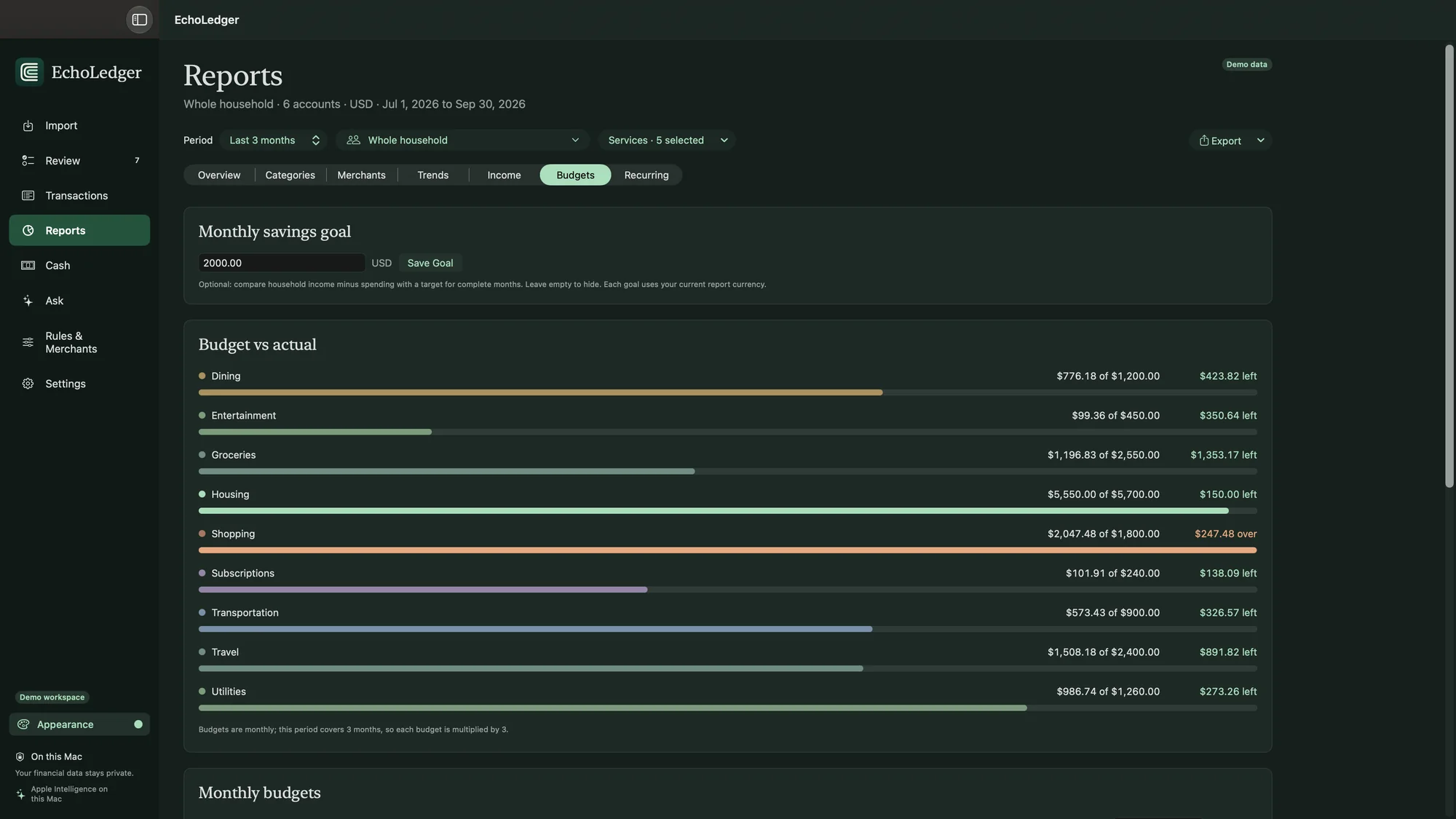
Set a monthly budget for any category and see what’s left or over for the period you pick.
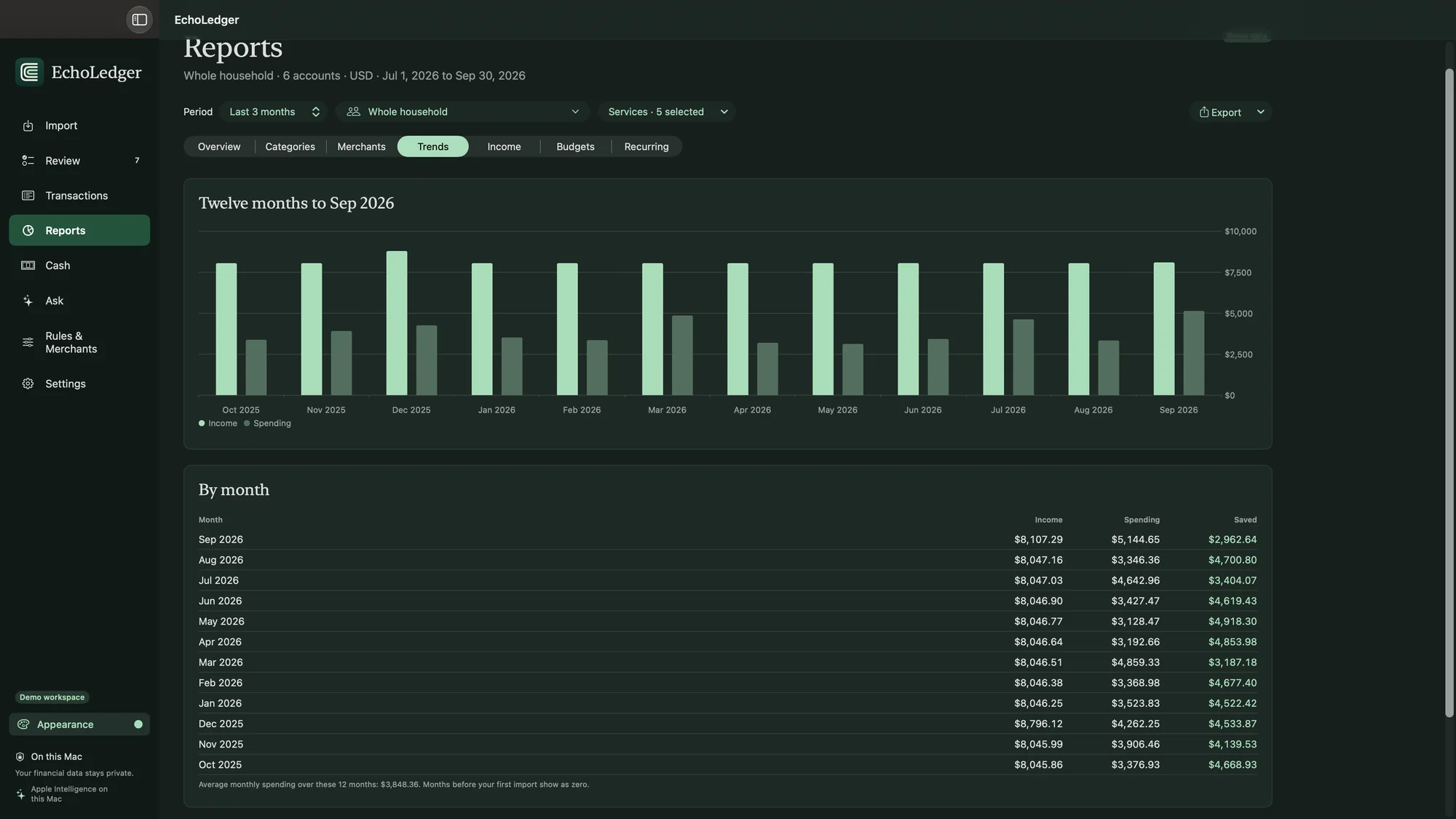
Compare income and spending month by month, with what you saved each month.
EchoLedger reads CSV, OFX, and QFX files and recognizes statements from Chase, Apple Card, Citi, Capital One, Wells Fargo, Discover, Amex, Bank of America, and more. For other banks, Apple Intelligence identifies the columns, then EchoLedger checks every row.
Before saving, review new rows, duplicates held back, and anything that couldn’t be read. A backup is made before every import, and you can undo any import.
Assign each card to the people who use it, view everyone’s spending or one person’s, and set monthly allowances if you want. Track cash, split a purchase between categories, and see Zelle, Venmo, and other payment services.
It files new transactions the way you would, cleans up merchant names, explains unfamiliar charges, and answers questions like “How much did we spend on dining last quarter?” It uses only Apple’s on-device model, and you can undo everything it does.
No bank logins, no account, and no subscription. Your ledger stays in one file on your Mac. EchoLedger connects only to check for updates or verify your license after purchase. It never sends your ledger or account data. Read Privacy.
If you need help, visit Support or email hello@echoappstudio.com.
~/Library/Application Support/EchoLedger. To uninstall, quit EchoLedger and drag it to the Trash. Delete that folder too if you want to remove your ledger.