
Purevo.
Clean up voice recordings and videos on your Mac.
Purevo removes background noise, hum, and room echo so speech is easier to understand. Switch between the original and cleaned-up versions as the recording plays, then export. Your recordings stay on your Mac.
Try it free for 14 days.
No credit card required.
Launch price $29 $39 after December 31
Hear the difference
Fan noise in. A clear voice out.
Loud fan noise was added to this podcast clip, then Purevo cleaned it up. Turn on the sound to hear it switch between Original and Cleaned up.
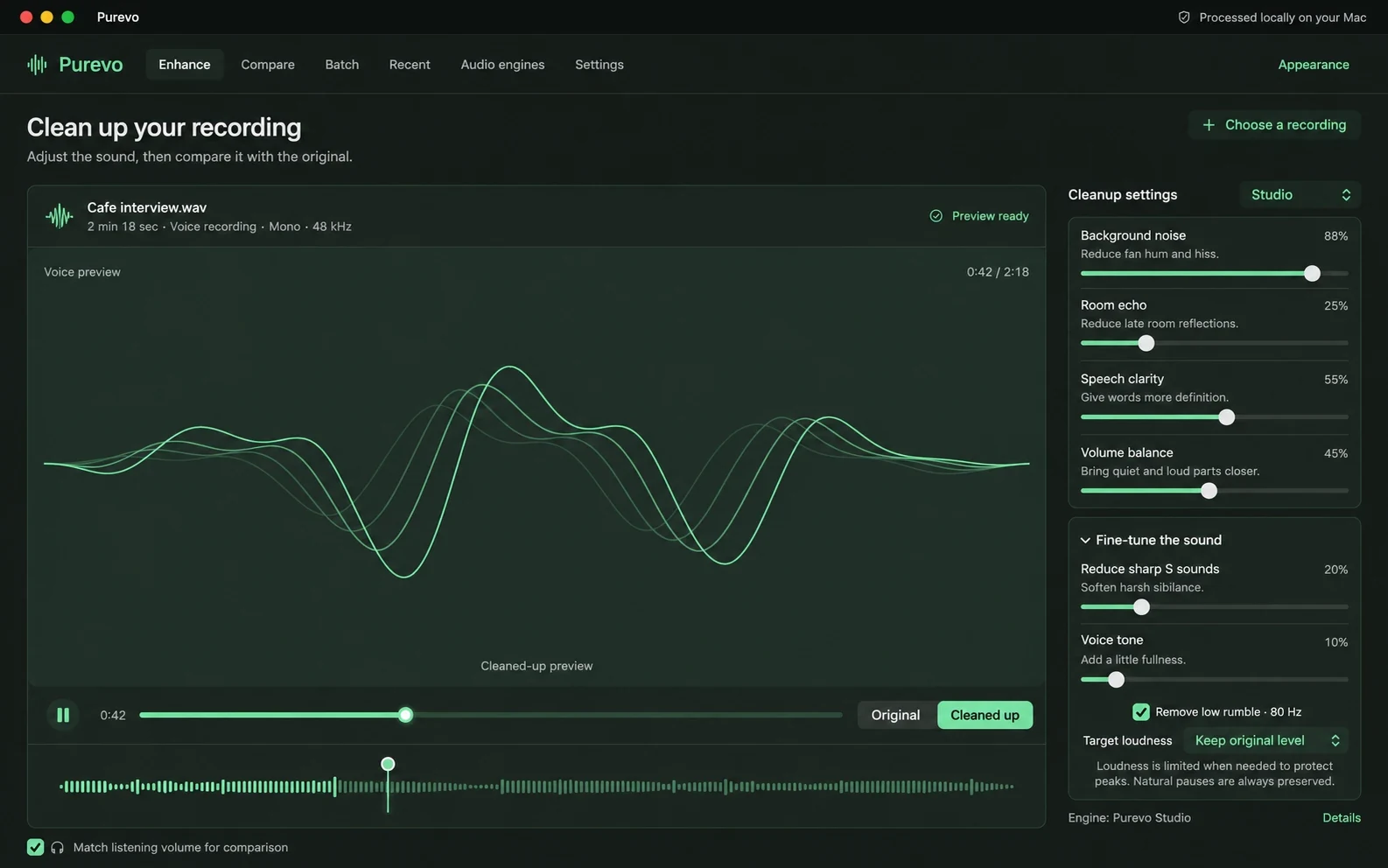
Clean it up, then compare.
Reduce background noise and room echo, make speech clearer, and bring quiet and loud parts closer together. Fine-tune sharp S sounds, voice tone, low rumble, and loudness. Switch between Original and Cleaned up at the same moment to hear the difference.
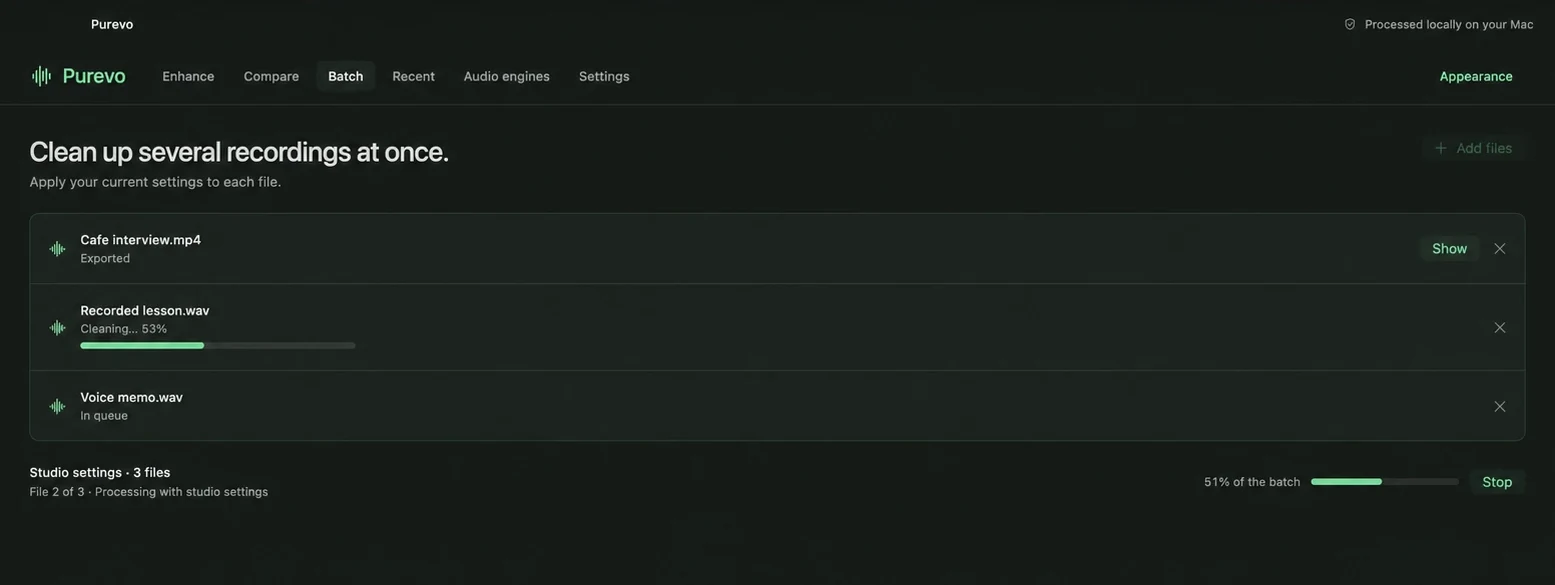
Clean up several recordings at once.
Add several files, and Purevo applies your current settings to each one. Track each file’s progress. Save cleaned copies to a folder you choose or next to each original.
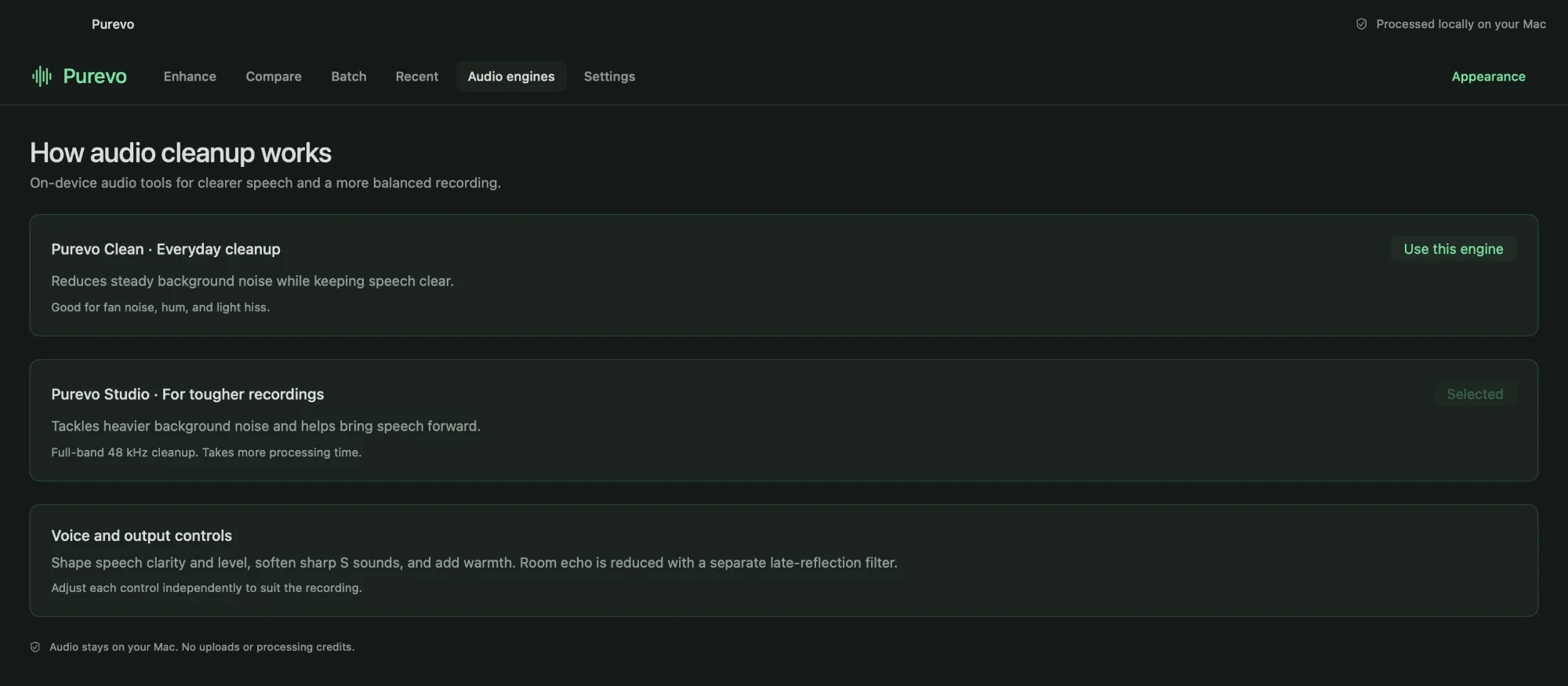
Two engines for different recordings.
Purevo Clean handles steady fan noise, hum, and light hiss. Purevo Studio does full-band 48 kHz cleanup for tougher recordings, so it takes a little longer.
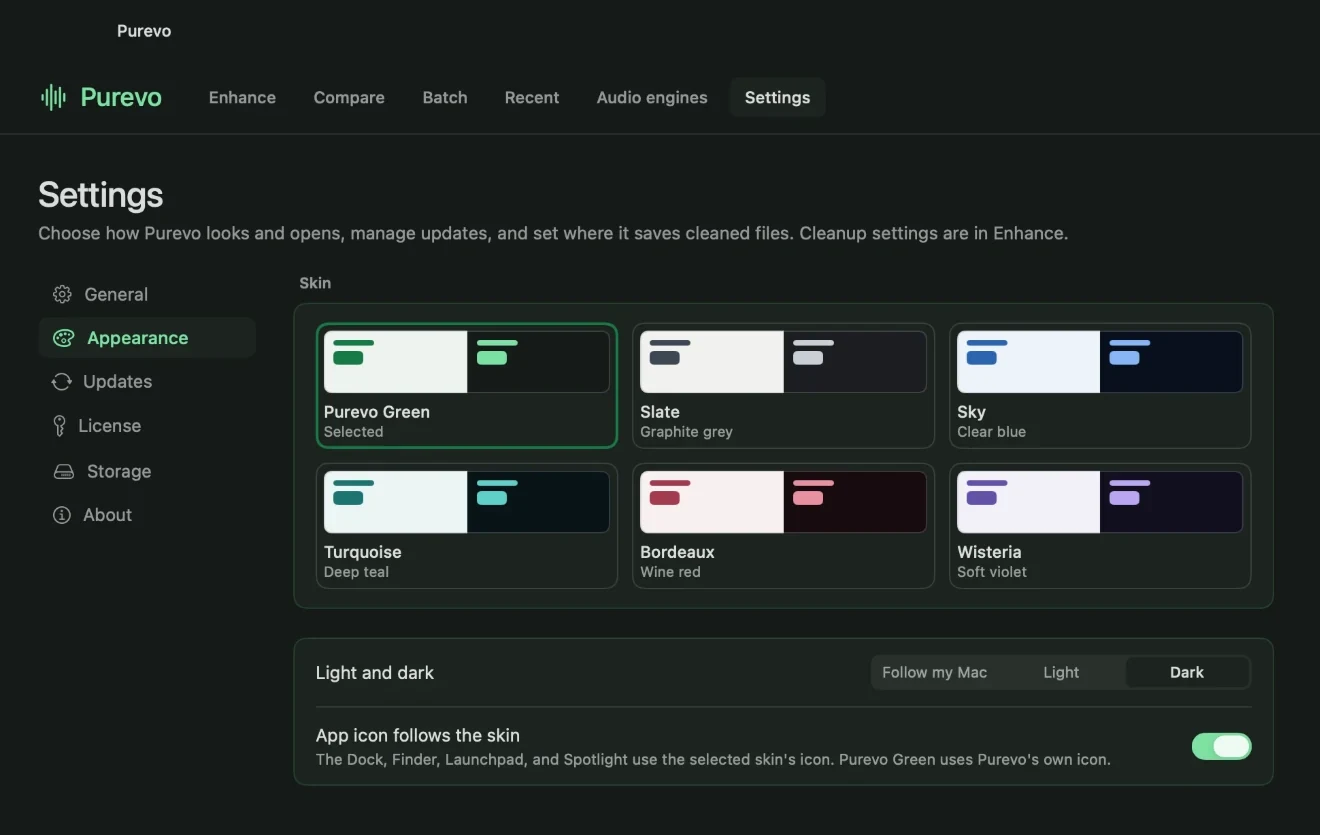
Choose how Purevo looks.
Choose one of six colors, then set Purevo to light or dark mode, or have it follow your Mac. You can change the app icon to match.
Clean up videos too.
Open an MP4, MOV, or M4V video. Purevo exports a copy with cleaned-up sound and leaves the picture exactly as it was.
Compare at the same volume.
Match listening volume so the cleaned-up version doesn’t just sound better because it’s louder.
Pick up where you left off.
Recent keeps each cleaned recording and its settings. When you reopen one, Purevo doesn’t clean it again.
Your originals stay untouched.
Purevo always saves a new file. Your original recording is never changed.
Your recordings stay on your Mac
You don’t need an account or subscription. Purevo cleans your recordings on your Mac and never uploads them. It connects only to check for updates or verify your license after purchase. Read Privacy.
Trial, price, and Mac requirements
- Free trial: Try every feature free for 14 days. You don’t need an account or payment details. After the trial, Purevo needs a license key to keep working. Nothing you’ve made is deleted.
- License: Buy once. Your license covers up to two Macs. See Terms and Refunds.
- Requirements: A Mac with Apple silicon (M1 or later, or MacBook Neo) running macOS 26 or later.
- Files it opens: WAV, M4A, MP3, AIFF, FLAC, and other common audio files, plus MP4, MOV, and M4V video. Audio files export as WAV. Video exports keep the original picture and use the cleaned-up sound.
If you need help, visit Support or email hello@echoappstudio.com.
Try it free for 14 days.
No credit card required.
Launch price $29 $39 after December 31