

Scout.
Record your screen, camera, or both on your Mac.
Scout records your full screen, one window, or just your camera, with your face in a bubble. Its controls stay above full-screen apps but never appear in the video. You can trim the recording from its transcript and share it. Your recordings stay on your Mac.
Try it free for 14 days.
No credit card required.
Launch price $29 $39 after December 31
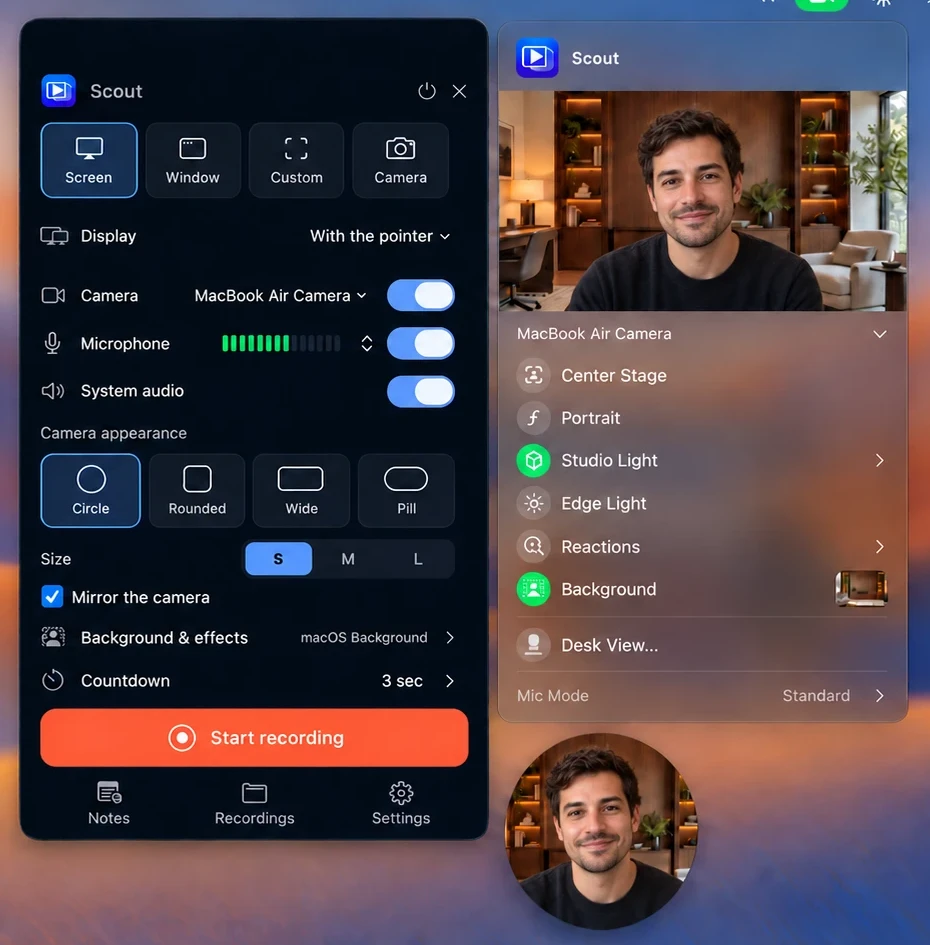
Choose what to record.
Record your whole screen, one window, an area you select, or just your camera. Choose a circular, rounded, wide, or pill-shaped camera view, then add your microphone and Mac audio. Scout works with the Mac’s camera effects, including Portrait, Studio Light, and Background.
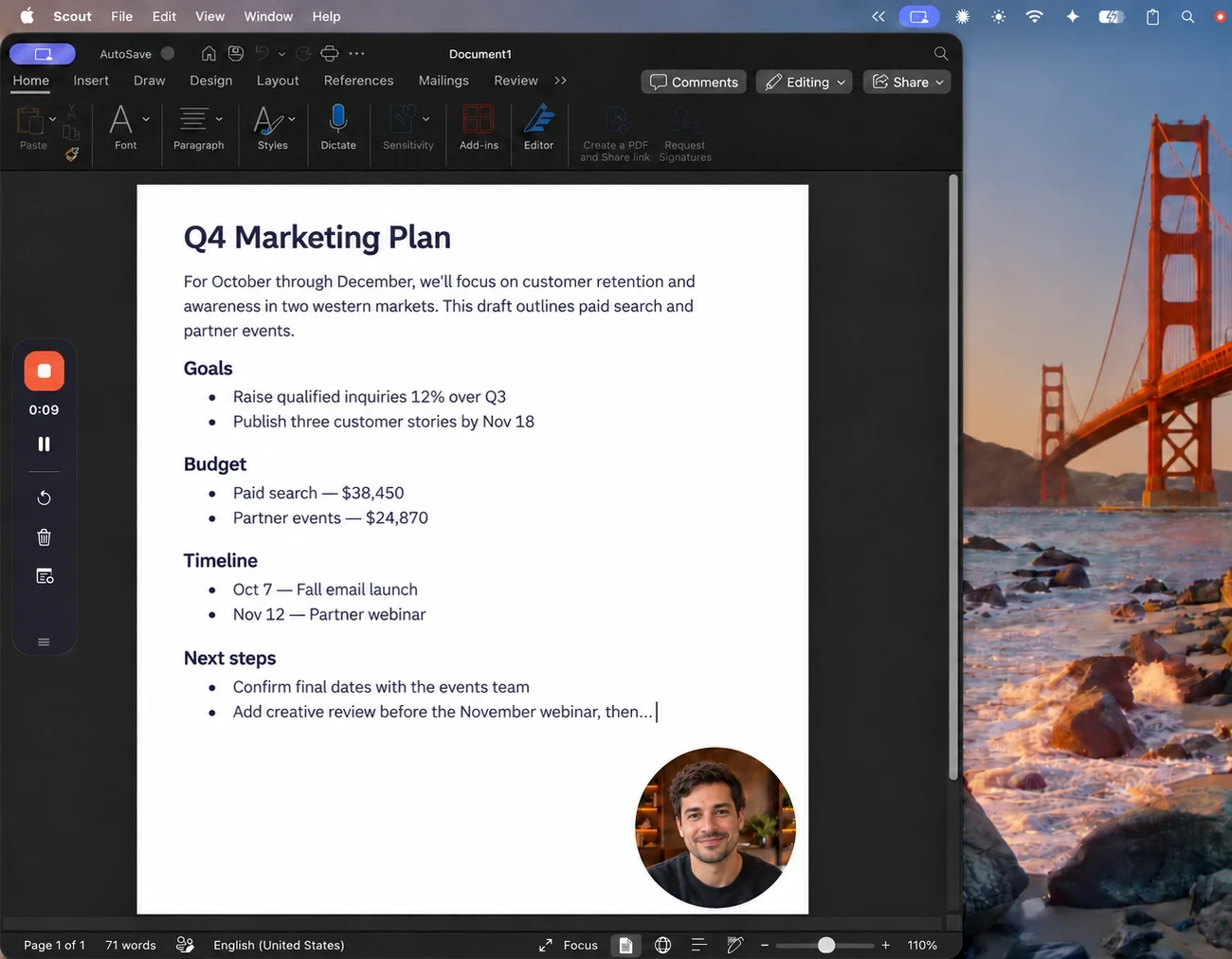
Controls stay on top in full-screen apps.
A small control bar stays on top of whatever you’re recording, even when an app is full screen. It never appears in the video. Pause, start over, or open your notes without leaving what you’re doing.
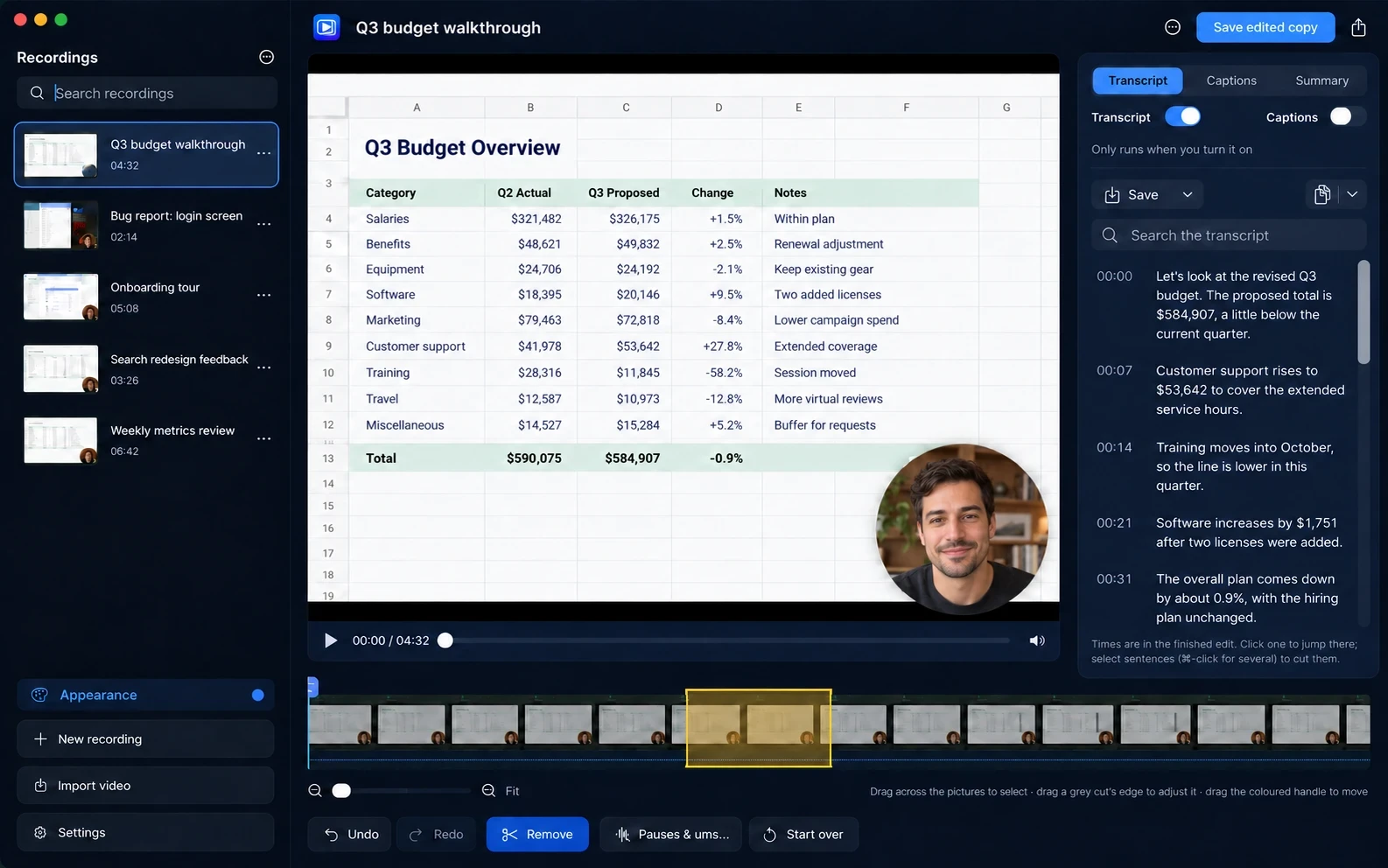
Edit from the transcript.
Drag across the timeline to remove a section, or select sentences in the transcript. Scout can also find long pauses and ums. Your original recording stays untouched, and the edited version is saved as a new MP4.
Search transcripts and save captions.
Turn on a transcript to search what was said and jump to any moment. Export it as Word, Markdown, plain text, or captions.
Get title, summary, and chapter suggestions.
Apple’s on-device model can suggest a title, summary, and chapters for each recording.
Keep your video if something goes wrong.
Scout saves as it records, so a crash or a full disk still leaves you with a video you can play.
Choose how Scout looks.
Choose from six colors, then pick light or dark. Your choice applies to Scout’s windows and app icon.
Free backgrounds for your calls.
Ten calm rooms for the Mac’s Background effect. Use them in Scout or in your video calls.
With your camera on, click the green camera icon in the menu bar and turn on Background. Then click the picture beside it and choose one of the included rooms.
Download the 10 backgrounds · 2.6 MB









Your recordings stay on your Mac
You don’t need an account or subscription. Your recordings never leave your Mac. Scout records, transcribes, and edits on your Mac, and never sends your recordings or transcripts. It only connects to check for updates or verify your license after purchase. The first time you make a transcript, macOS may download speech files for your language. Read Privacy.
Trial, price, and Mac requirements
- Free trial: Try every feature free for 14 days. You don’t need an account or payment details. When the trial ends, your recordings stay on your Mac, and you can still open and play them.
- License: Buy once. Your license covers up to two Macs. See Terms and Refunds.
- Requirements: A Mac with Apple silicon (M1 or later, or MacBook Neo) running macOS 26 or later.
- Where your files are: Scout saves recordings as MP4 files in Movies › Scout, or in a folder you choose.
If you need help, visit Support or email hello@echoappstudio.com.
Try it free for 14 days.
No credit card required.
Launch price $29 $39 after December 31